Understand how a mealtime insulin dose is worked out.
Insulin Buddy is a learning tool for understanding, step by step, the principles of mealtime insulin dosing in different situations, based on the values you enter.
Access to the web version is a one-time purchase of €1.99. Already bought it? Request a sign-in link: app.insulinbuddy.fi/claim.html.
How does Insulin Buddy work?
Four steps show which parts make up a mealtime insulin dose and how each value affects it.
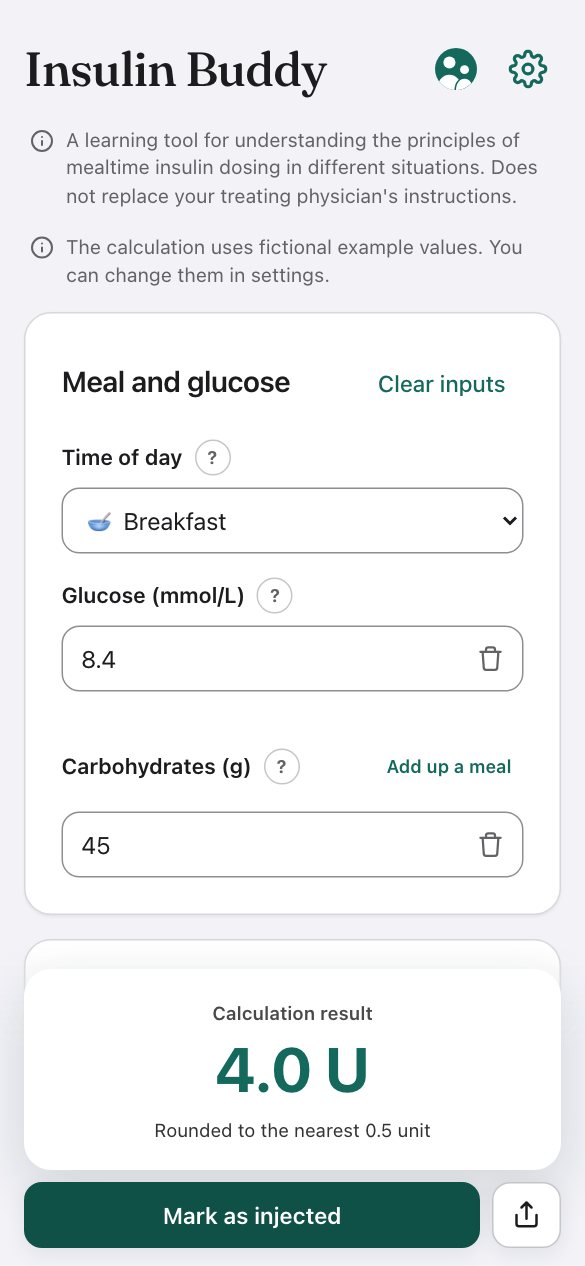
Enter meal details
Select the meal (e.g. breakfast, lunch, or dinner), enter your current blood glucose and estimated carbohydrates. Your custom profiles pre-fill common carbohydrate amounts automatically.
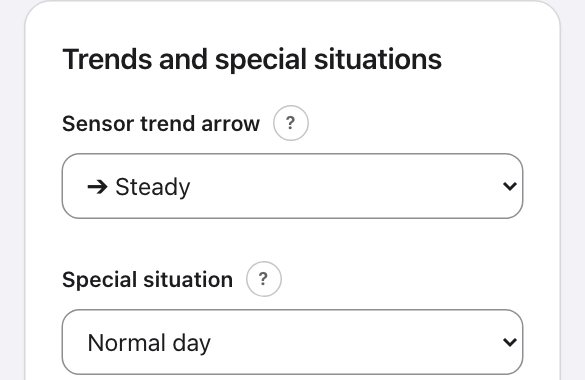
Factor in CGM trends and daily life
Select the trend arrow shown by your glucose sensor. The app takes the rise or fall shown by the arrow into account as a cautious estimate. Account for sports or illness with a single tap.
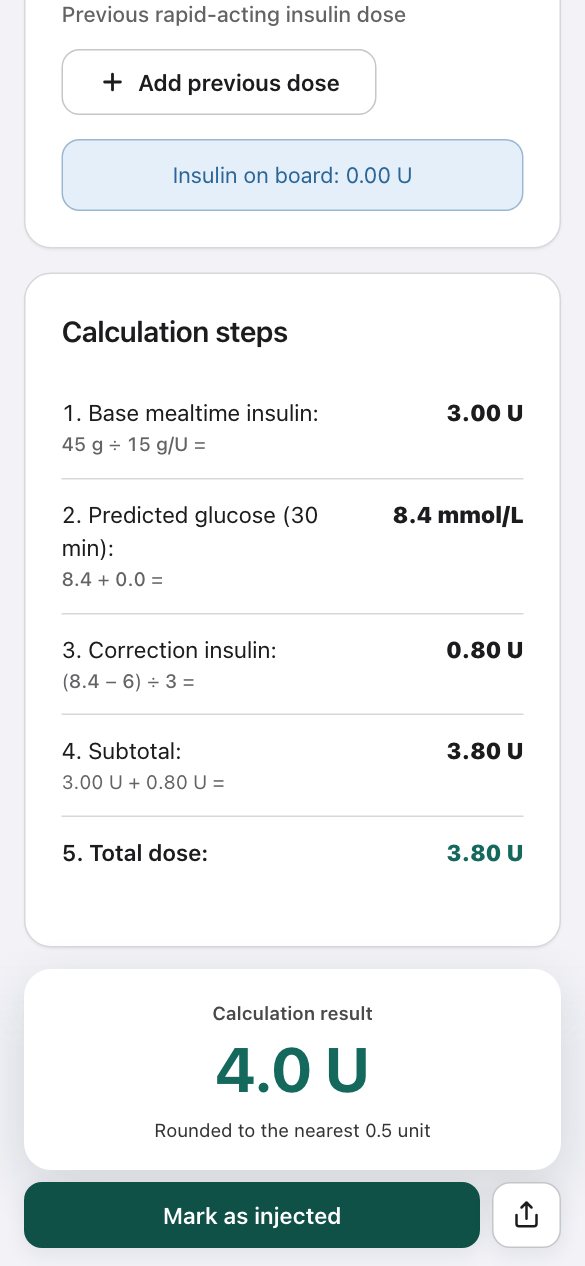
The calculation, step by step
The app shows how the dose is made up of carbohydrates, glucose correction and earlier active insulin (IOB). If the calculated active insulin exceeds the requirement, the calculation ends in correction carbohydrates instead of more insulin.
Settings and helpers
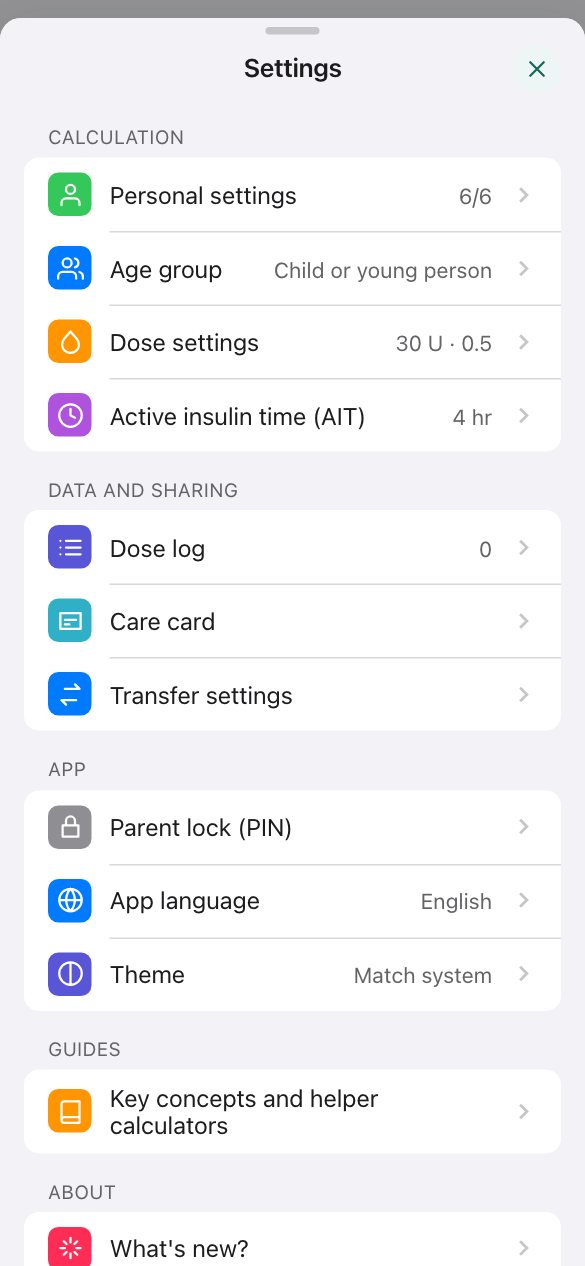
Choose your age group (child or young person / adult) and enter the meal profiles, carb ratios, insulin sensitivity factor (ISF), and active insulin time (AIT). You can use fictional example values or the values given by a diabetes clinic. The age group selects the matching reference values in the guides, and built-in quick calculators show how the values are worked out.
Learn with fictional values
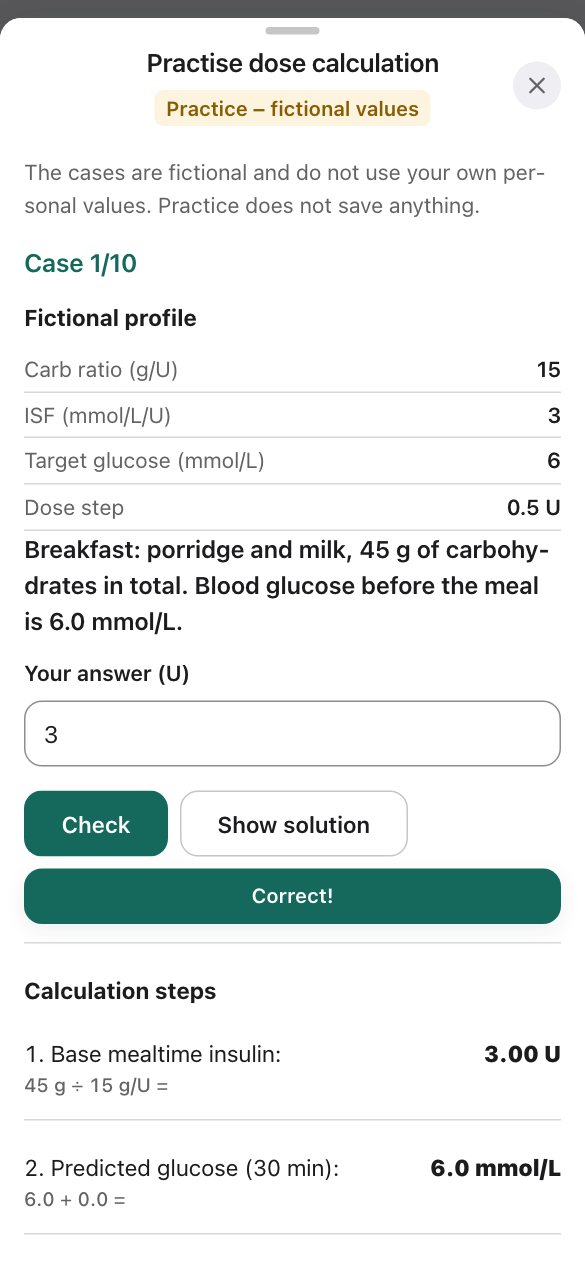
You can try out the calculation and practise dose calculation without your own values.
Practise dose calculation
Practice mode has ten fictional cases that progress from the easiest to the most demanding: a meal, a glucose correction, active insulin, exercise, a sick day and low glucose. Work out the answer yourself, check it, and see the solution step by step.
- Practice does not use your own values and does not save anything.
- The Use example values button fills in fictional values, so you can try out the calculation straight away.
- The Compare situations card shows the result for the same meal on a normal day, with exercise and on a sick day.
Features
Key factors that affect mealtime insulin needs in the calculation.
Custom meal profiles
Save your own glucose targets and carb ratios for each meal of the day. By setting a "Typical carb amount", the app pre-fills the carbohydrates based on the time of day.
CGM trend arrows
In addition to the glucose value, you can enter the trend arrow shown by your sensor. The app takes a cautious estimate of the change shown by the arrow into account in the dose correction.
Exercise and illness
Exercise and illness can also be taken into account. In exercise mode the app raises the target glucose to at least 7.0 mmol/l, and the exercise guide illustrates how exercise and meal timing affect mealtime insulin needs.
Built-in helper calculators
Where do the settings come from? The app's quick calculators show how the total daily dose (TDD), insulin sensitivity factor (ISF) and carb ratio relate to each other – useful when you want to understand what the values are based on.
Fineli food search
The carbohydrates of a meal can be added up from its ingredients. The calculator searches foods in the Fineli (THL) nutrient database in Finnish, Swedish and English: choose a food and enter its weight, and the calculator works out the carbohydrates.
Sharing a calculation
A calculation can be shared as text: it includes the entered values, the calculation steps and the result. Data leaves your device only when you share or export it yourself.
Care card and transfer
The care card gathers the personal values and settings into a summary that can be shared as text or printed. The personal values and settings can also be exported to a file and imported on another device.
Dose log summary
Confirmed doses are recorded in the dose log, which gives a summary of the last 7, 14 or 30 days. The summary is descriptive: it does not assess or interpret the numbers.
How the calculation works
The app shows every step of each calculation, so it is easy to see where a number comes from.
Insulin on board (IOB)
Rapid-acting insulin given earlier keeps working for hours. If it is ignored, consecutive doses can stack up ("insulin stacking") and lead to low glucose.
Insulin Buddy subtracts the part of earlier doses that is still active from the new dose. The app assumes that the effect of a dose decreases evenly over the chosen active insulin time (AIT): for example, with a 3-hour AIT, two thirds of a dose is counted as still active one hour after injection. The model is simple and predictable, and it never assumes that insulin stops working before the chosen time.
- Active insulin time (AIT) is chosen between 2 and 6 h. In treatment, the time is set by the diabetes clinic.
- The calculation rules are based on published recommendations (including ADA, ISPAD, NICE and the Finnish Current Care guidelines), and the sources are shown in the app.
- Insulin on board is subtracted from the total dose only once.
Insulin on board over time (AIT 3 h)
Active insulin and low glucose
If the calculated active insulin (IOB) exceeds what the new meal and a possible glucose correction require, the calculation does not end in an insulin dose.
In this case, the dose card turns red and shows an amount of correction carbohydrates instead of insulin units. The suggestion is calculated using the user's carb ratio and insulin sensitivity factor.
- Illustrates why consecutive doses can stack up.
- Clear warning for large single doses and an adjustable maximum dose.
Consume carbohydrates
Active insulin exceeds requirement.
Privacy and access
Insulin Buddy was built for people learning insulin therapy, the people close to them, and healthcare students and professionals: to understand how a mealtime insulin dose is worked out.
Data stays on your device
Your health data never leaves your device. No cloud storage of health data, no tracking.
Visible IOB calculation
The calculation shows how much insulin from earlier doses is still active and how it is subtracted from the new dose.
One-time purchase, €1.99
You pay once for access to the web version, and the price includes tax. No ads, no subscriptions.
Frequently asked questions
Everything you need to know about how Insulin Buddy works, privacy and intended use.
What does Insulin Buddy cost?
Access to the web version is a one-time purchase of €1.99, and the price includes the VAT or sales tax of the buyer's country. There is no trial period. You have a statutory right to withdraw from the purchase within 14 days of the day of purchase: notify us at support@insulinbuddy.fi (the withdrawal form is in section 5 of the terms of use). The app has no ads and no subscriptions.
Can I use Insulin Buddy without my own values?
Yes. The Use example values button fills in fictional values that you can use to try out the calculation. Practice mode has ten fictional cases for learning dose calculation: it does not use your own values and does not save anything. The Compare situations card also shows the result for the same meal on a normal day, with exercise and on a sick day.
How are my personal and health data handled?
Insulin Buddy operates on strict privacy-by-design principles. The application does not send blood glucose values, therapy settings, doses or any other data you enter for the calculations to any server; that data stays exclusively on your own browser or device. If you buy access to the web version, we process only the data needed for the purchase, such as your email address, and never your health data.
How does the app calculate insulin on board?
The app subtracts the part of earlier doses that is still active from the new dose. The effect of a dose is assumed to decrease evenly over the chosen active insulin time (2–6 h): for example, with a 3-hour AIT, two thirds of a dose is counted as still active one hour after injection. This keeps consecutive doses from stacking in the calculation.
Is Insulin Buddy suitable for adults?
Yes. On first launch you choose an age group: child or young person or adult. The choice is shown on the app's main screen, and you can change it in the settings. The age group changes the reference values in the guides, such as the glucose target and the low glucose treatment guidance, but not the calculation. The app is not intended for use during pregnancy.
Does the app work offline without internet access?
Yes. All calculation logic runs locally in your device's browser. Once the web app is loaded or added to your home screen (PWA), you can use it even in airplane mode or in areas with no reception.
Does this app replace medical advice from a physician?
No. Insulin Buddy is a learning tool: it is intended for learning and is not CE-marked as a medical device. All dosing decisions and individual therapy settings must always be confirmed against the instructions of your medical team.